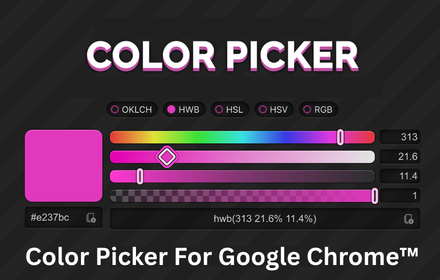
🎨 Pick Any Color From Any Webpage – Color Picker for Chrome™ Pro
Ever spotted a perfect color on a website and had no idea what it was? Color Picker for Chrome™ Pro lets you grab any color from any page instantly — with just one click.
✨ Your Ultimate Color Picking Tool — In One Click
This advanced eyedropper extension is built for anyone who works with colors. Simply click, hover over any element on screen, and get the exact color code you need — instantly.
Supports the most-used color formats:
- ✅ HEX –
#FF5733 - ✅ RGB –
rgb(255, 87, 51)
🎯 Perfect For
- 🎨 UI/UX Designers matching colors across platforms
- 💻 Web Developers extracting exact color values from any page
- 🖼️ Brand Managers ensuring brand color consistency
- 📸 Content Creators sampling gradients, images, and visuals
⚡ Key Benefits
| Feature | Benefit |
|---|---|
| Advanced eyedropper | Pick any pixel-perfect color on screen |
| Instant HEX & RGB output | Copy and paste directly into your tools |
| Clean, simple UI | No learning curve — works for beginners too |
| One-click activation | Start picking colors in seconds |
🔒 Privacy-First & Secure
The developer is fully transparent — your data is never collected, sold, or shared with any third party. Use it with complete peace of mind.
📥 Install Now – 100% Free
Latest version: v1.0.1 – Updated May 4, 2026